Cuban Tres, Bass & Guitar - played and recorded with my personal gear
SoundBetter
Find the Best Deals Across Top Music Stores
Guides My Setup About Me

Best Monitor Setup & Room Calibration (2026)

Best Monitor Setup & Room Calibration (2026)

Great monitors in a bad room sound worse than decent monitors set up correctly. Monitor placement, stands, and basic room treatment matter more than the difference between a $500 and a $2,000 monitor. Here's how to get your monitoring right, with the gear that makes the biggest difference.

How to Choose the Best Studio Monitors

Studio monitors are the most important tool for getting accurate mixes. Unlike consumer speakers that flatter your music, monitors reveal the truth — every flaw, every frequency imbalance, every mix problem. Choosing the right pair for your room and budget is critical.

Room size determines speaker size. A common mistake is buying monitors that are too large for the room. In a small room (under 150 sq ft), 5-inch monitors are ideal. Medium rooms (150-300 sq ft) work well with 6-7 inch monitors. Large rooms can handle 8-inch monitors and above.

Front-ported vs rear-ported matters in small spaces. Monitors with front-firing bass ports can be placed closer to walls without bass buildup. Rear-ported monitors need at least 6-12 inches of clearance behind them to avoid boomy, inaccurate bass. In small rooms, front-ported designs are much more forgiving.

Active vs passive: Nearly all studio monitors are active (built-in amplifiers). The advantage is that the amplifier is matched specifically to the drivers. Some high-end monitors use separate external amplifiers, but for most home studios, active monitors are the right choice.

Room correction is a game-changer. Monitors with built-in DSP and room EQ let you tune your monitors to your room using a smartphone app. This is incredibly useful for home studios where acoustic treatment is minimal. If your monitors don't have DSP, software solutions like Sonarworks Reference are excellent alternatives.


Start with Great Monitors: Yamaha HS8

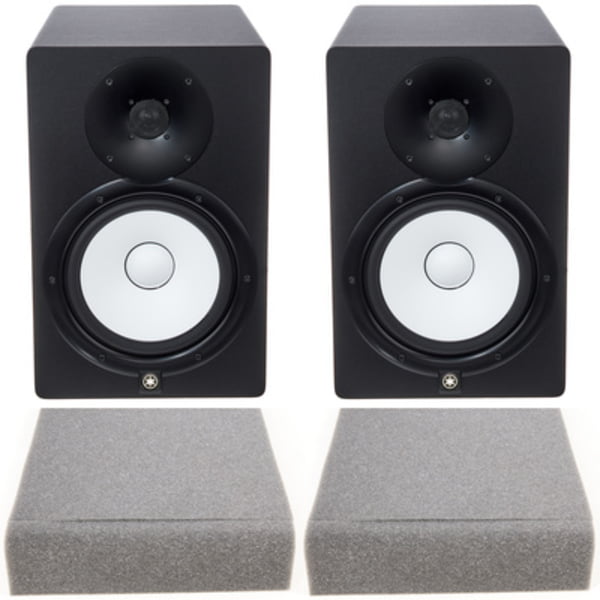
The Yamaha HS8 is the ideal centerpiece for a serious monitoring setup. Its brutally honest frequency response means you'll hear exactly what needs fixing in your room — and in your mixes. The room control switches (low cut, high trim, mid EQ) give you a starting point for compensating for placement issues. The 8-inch woofer provides enough bass extension that you can hear problem frequencies below 40Hz. Start here, then build your room around these monitors, not the other way around.

Get Them Off Your Desk: K&M Monitor Stands

Putting monitors on your desk is the single most common mixing mistake. Your desk vibrates, creating resonances that muddy your low end. Desk reflections comb-filter your midrange. The solution? Proper monitor stands. The K&M 26725 stands are German-engineered steel, height-adjustable to get tweeters exactly at ear level, and include floor spikes that mechanically decouple the speaker from the floor — tightening your bass response dramatically. At $89 a pair, monitor stands are the cheapest upgrade that makes the biggest difference. This is not optional.
Verdict HS8 + K&M stands = monitoring truth

Products in this Guide

Yamaha HS8

Yamaha HS8

★★★★½ 12,345
$698 USD
The industry standard for mixing. 8-inch cone woofer with Kevlar coating, 1-inch dome tweeter, and room control for accurate monitoring.

Final Thoughts

Spend $698 on Yamaha HS8s and $89 on K&M stands. That's $787 total for a monitoring setup that will reveal more about your mixes than $3,000 monitors sitting on a desk. The stands matter almost as much as the speakers — don't skip them. Once your monitors are properly positioned, you can hear what your room actually sounds like and make informed treatment decisions.

Join us on Telegram — daily sales & deals on music gear Únete a Telegram — ofertas diarias en equipo musical